Process Protocol Buffers Data
rekuiper connects external systems through source and sink connectors using protocols such as MQTT and HTTP. rekuiper supports serialization formats including JSON, Protocol Buffers (Protobuf), and binary streams. Protocol Buffers provides language-neutral, platform-neutral binary serialization with compact payload size and fast processing speed.
This tutorial explains how to register Protobuf schemas, decode incoming binary messages in sources, and encode output messages in sinks. You can perform these steps using the management web interface (refer to the UI Tutorial), the REST API, or the command-line interface.
Prerequisites
Prepare the following components before you begin:
- An MQTT broker reachable at
tcp://127.0.0.1:1883(such as Eclipse Mosquitto). When running rekuiper in Docker, configure the broker address through the environment variableMQTT_SOURCE__DEFAULT__SERVER="tcp://127.0.0.1:1883". - An MQTT client tool such as MQTT X.
Schema Registry
Protobuf requires a schema definition. Message definitions specify the fields used during encoding and decoding.
The following schema defines a Book message containing a title string and an integer price:
message Book {
  required string title = 1;
  required int32 price = 2;
}
Follow these steps to register the schema:
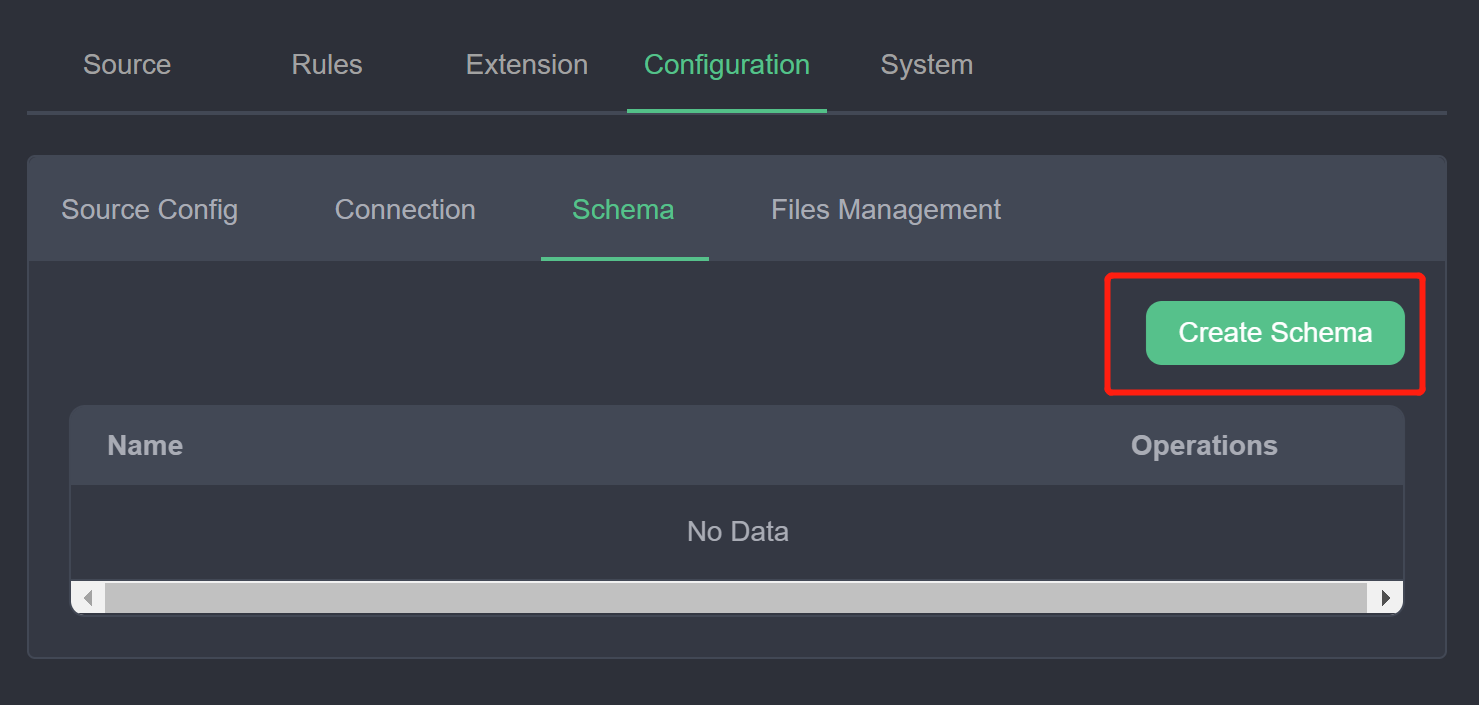
In the management console, select Configuration -> Schema and click Create Schema.
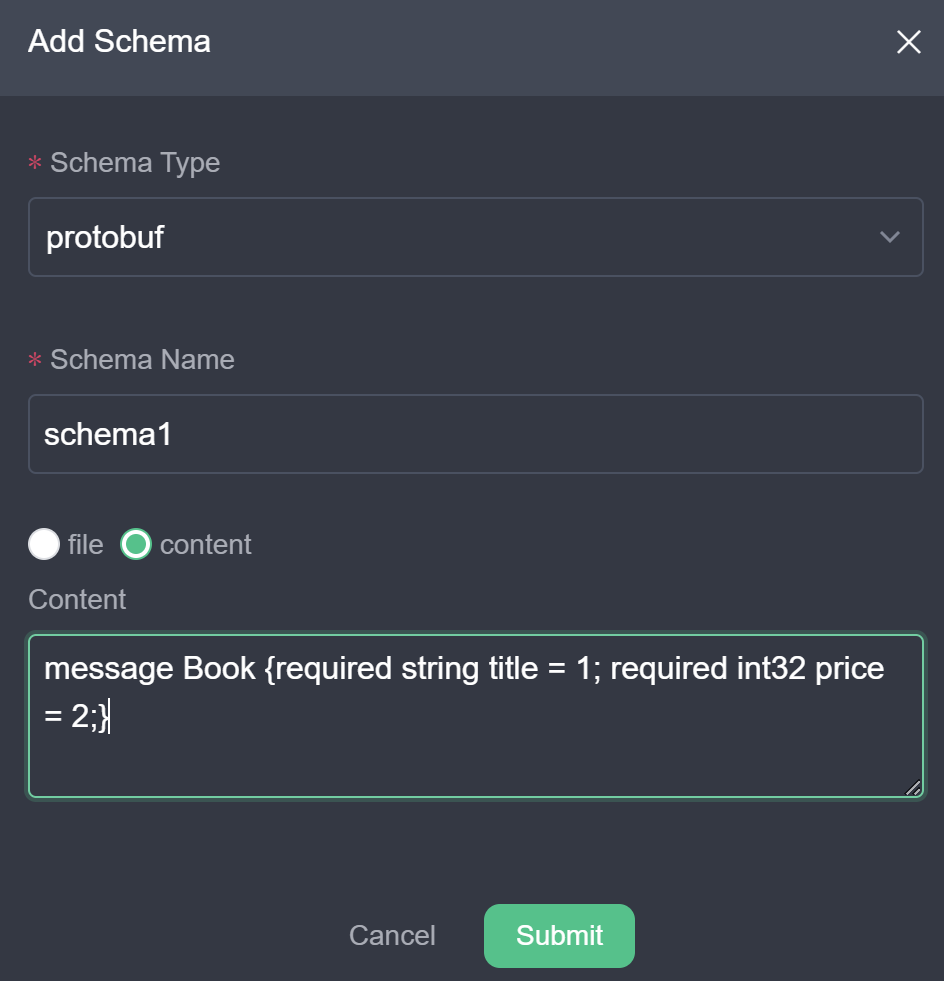
Enter the schema parameters:
- Schema Type:
protobuf. - Schema Name: A unique identifier (for example,
schema1). - Schema Content: Select Content and paste the
.prototext definition into the editor.
- Schema Type:
Click Submit. The new schema appears in the schema list:
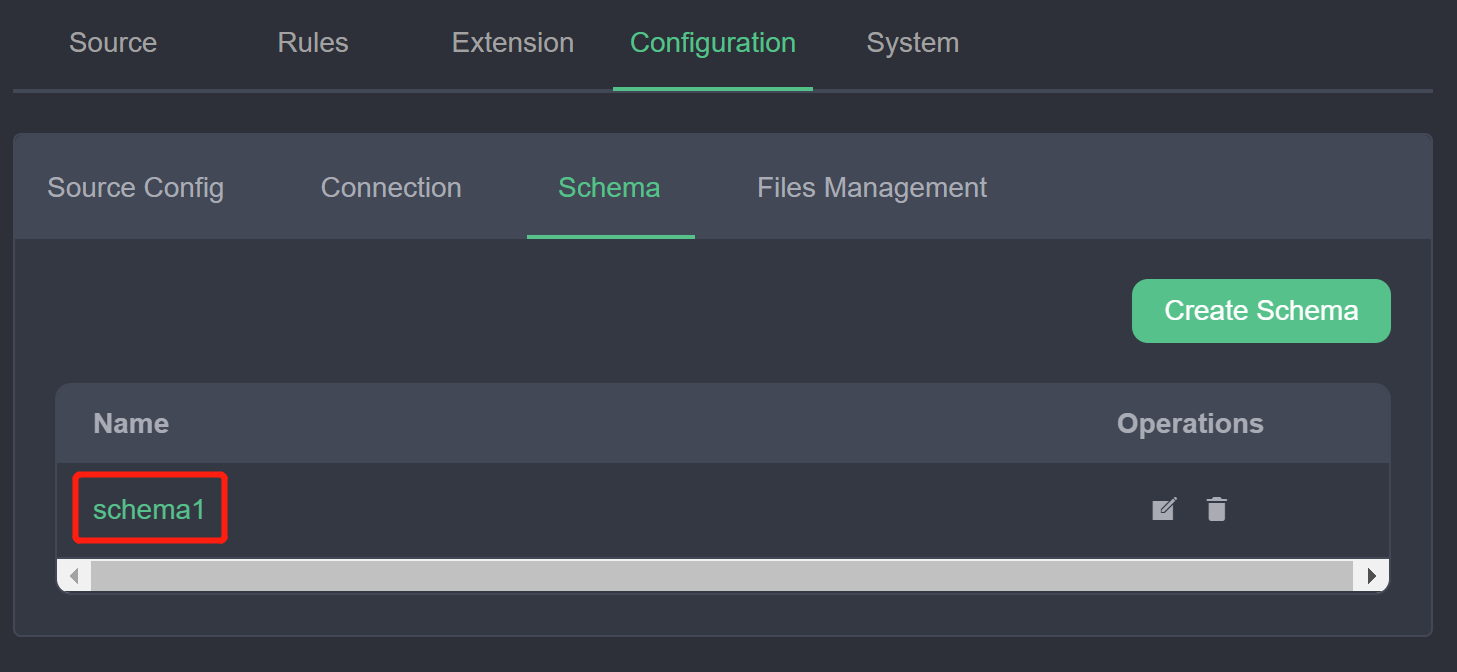
The registered schema schema1 defines the Book message type for use in source and sink configurations.
Read Protobuf Data
This section demonstrates how to ingest and decode Protobuf binary messages from an MQTT topic:
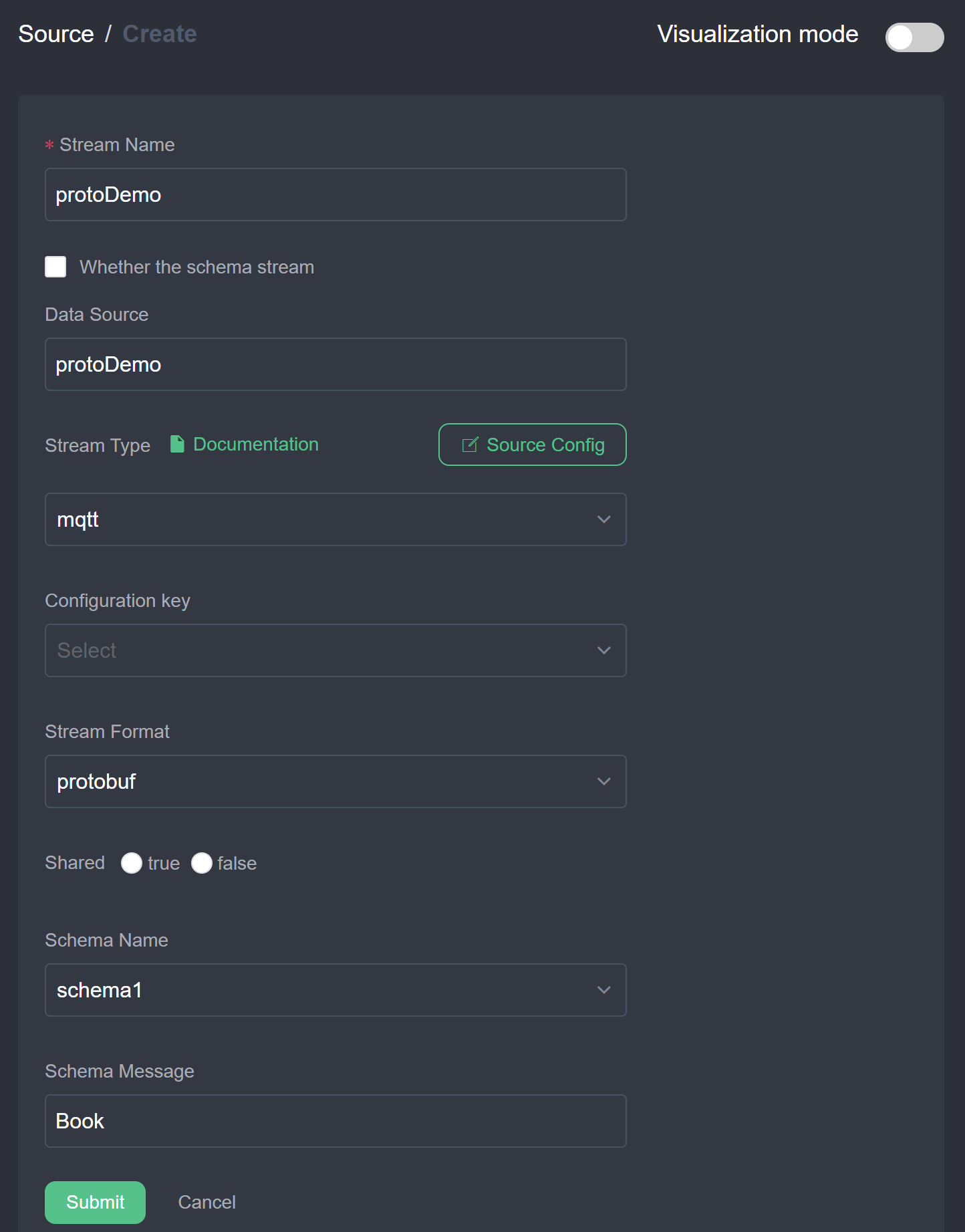
Create a data stream: In the management console, select Source -> Stream and click Create Stream.
Configure stream parameters:
- Stream Name:
protoDemo. - Source Type:
mqtt. - Data Source:
protoDemo. - Stream Format:
protobuf. - Schema:
schema1. - Schema Message:
Book.
- Stream Name:
Create a processing rule: Select Rules and click New Rule. Switch to text mode and enter the rule configuration:
json{ "id": "ruleDecode", "sql": "SELECT * FROM protoDemo", "actions": [{ "mqtt": { "server": "tcp://127.0.0.1:1883", "topic": "result/protobuf", "sendSingle": true } }] }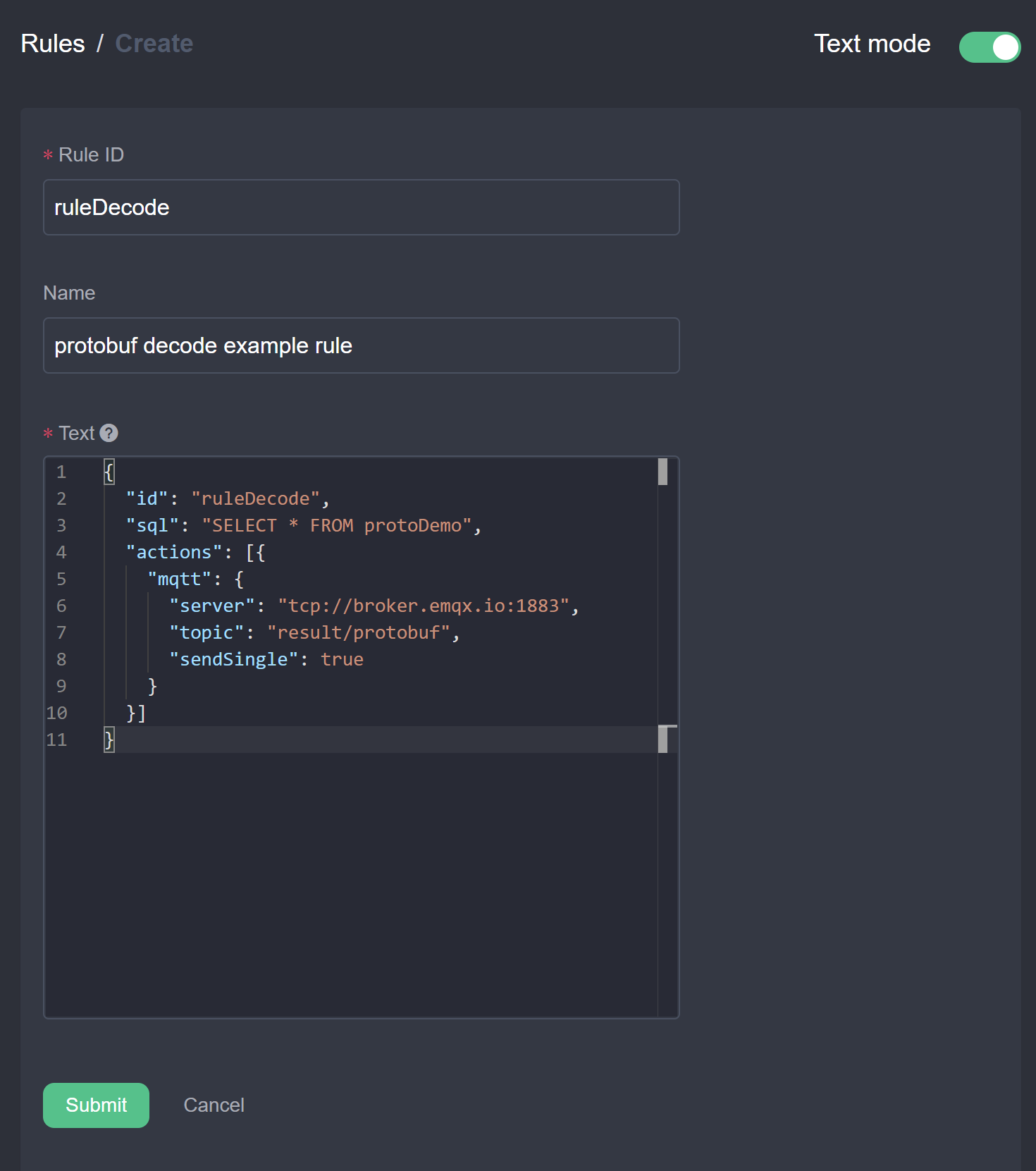
Verify data decoding:
Connect MQTT X to
tcp://127.0.0.1:1883.Subscribe to the output topic
result/protobuf.Publish binary Hex data encoded according to the
Bookschema to topicprotoDemo:0a1073747265616d696e672073797374656d107b.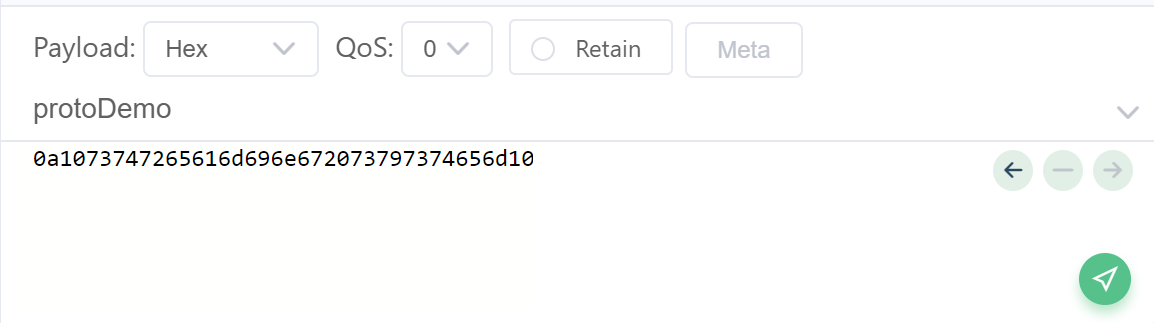
Verify that the client receives the decoded JSON object on
result/protobuf: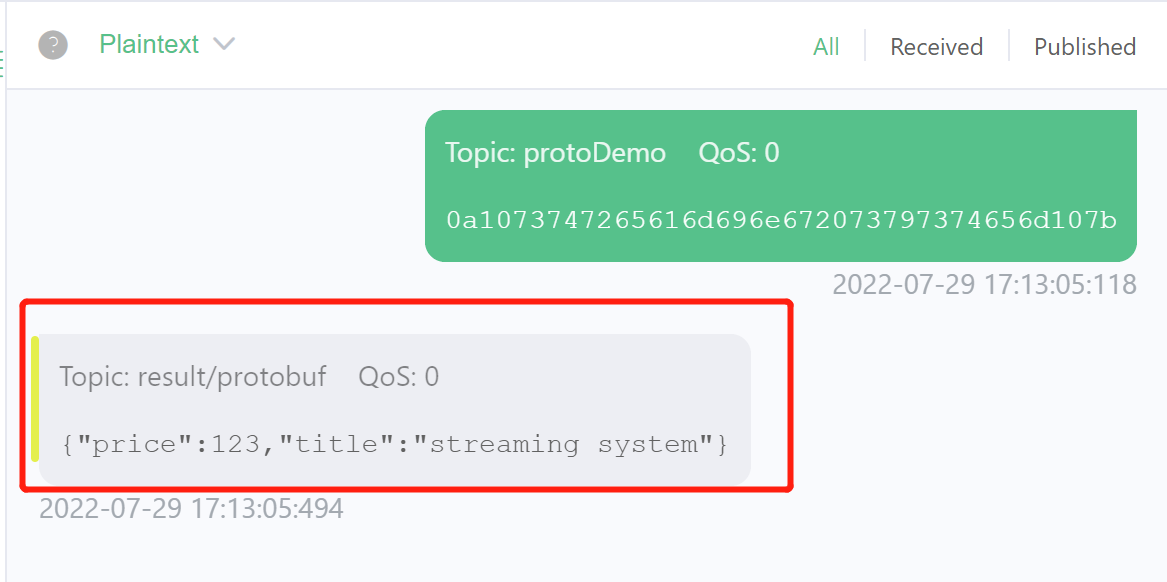
Write Protobuf Data
This section demonstrates reading JSON records, processing data, and publishing binary Protobuf payloads to an MQTT broker to minimize transmission bandwidth:
Create an input stream: Select Source -> Stream and click Create Stream. Create a stream using JSON format subscribed to the
demotopic.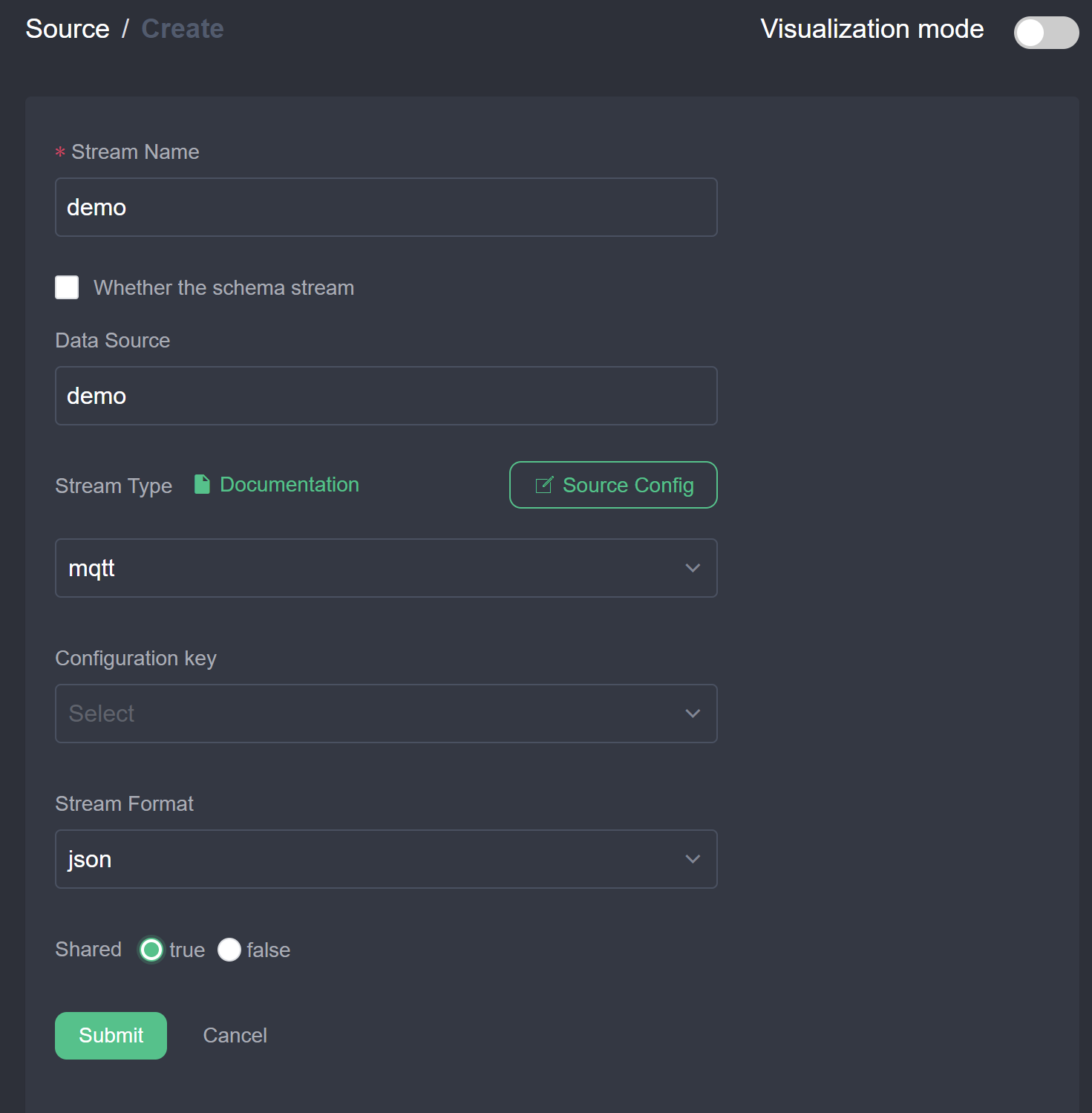
Create an output rule:
Click New Rule, set Rule ID and Name, and enter query SQL:
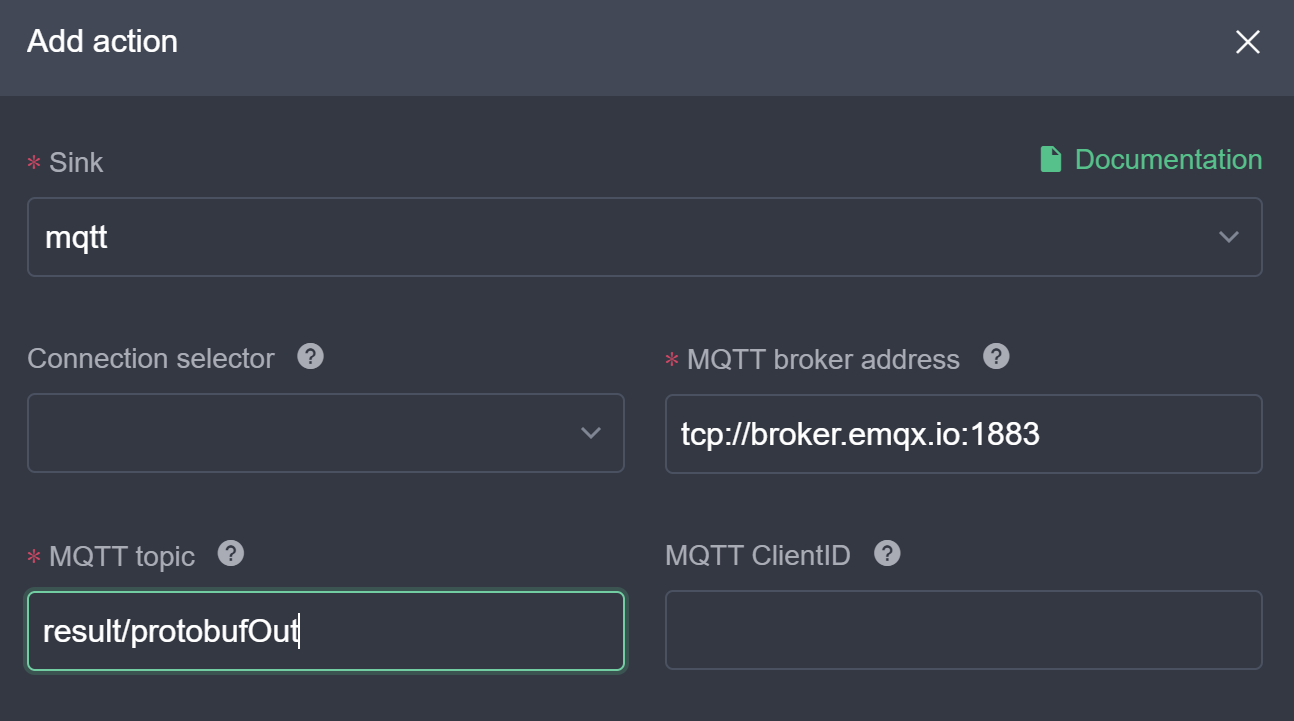
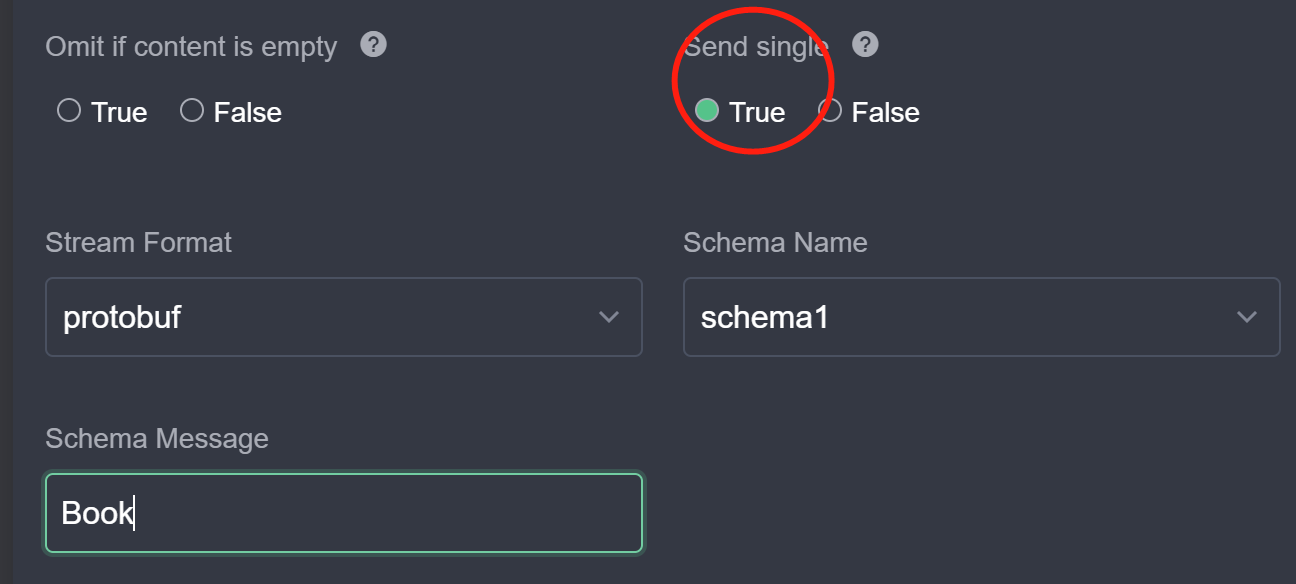
SELECT * FROM demo.Add an MQTT action configured for Protobuf serialization:
- Server: Cloud broker address.
- Topic:
result/protobufOut. - Send Single:
true. - Format:
protobuf. - Schema:
schema1. - Schema Message:
Book.
Click Submit to activate the rule.
Verify binary output:
- Subscribe to topic
result/protobufOutin MQTT X. - Publish JSON records to
demo. - Verify that the subscriber receives binary Protobuf payloads.
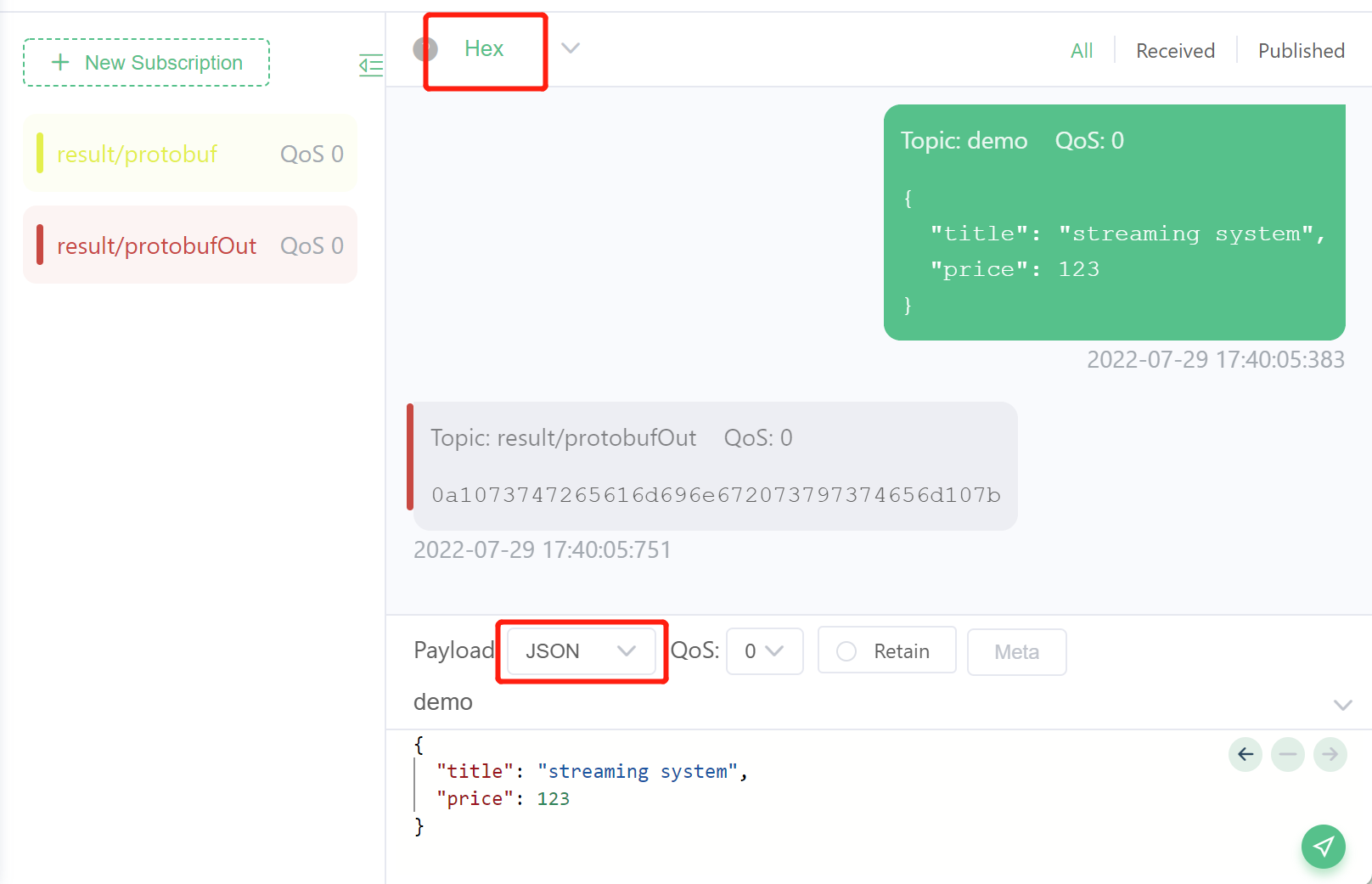
- Subscribe to topic
Summary
rekuiper supports Protobuf serialization across all source and sink connectors. Define your schema in the Schema Registry, and reference the schema in stream and action definitions to encode and decode binary payloads.